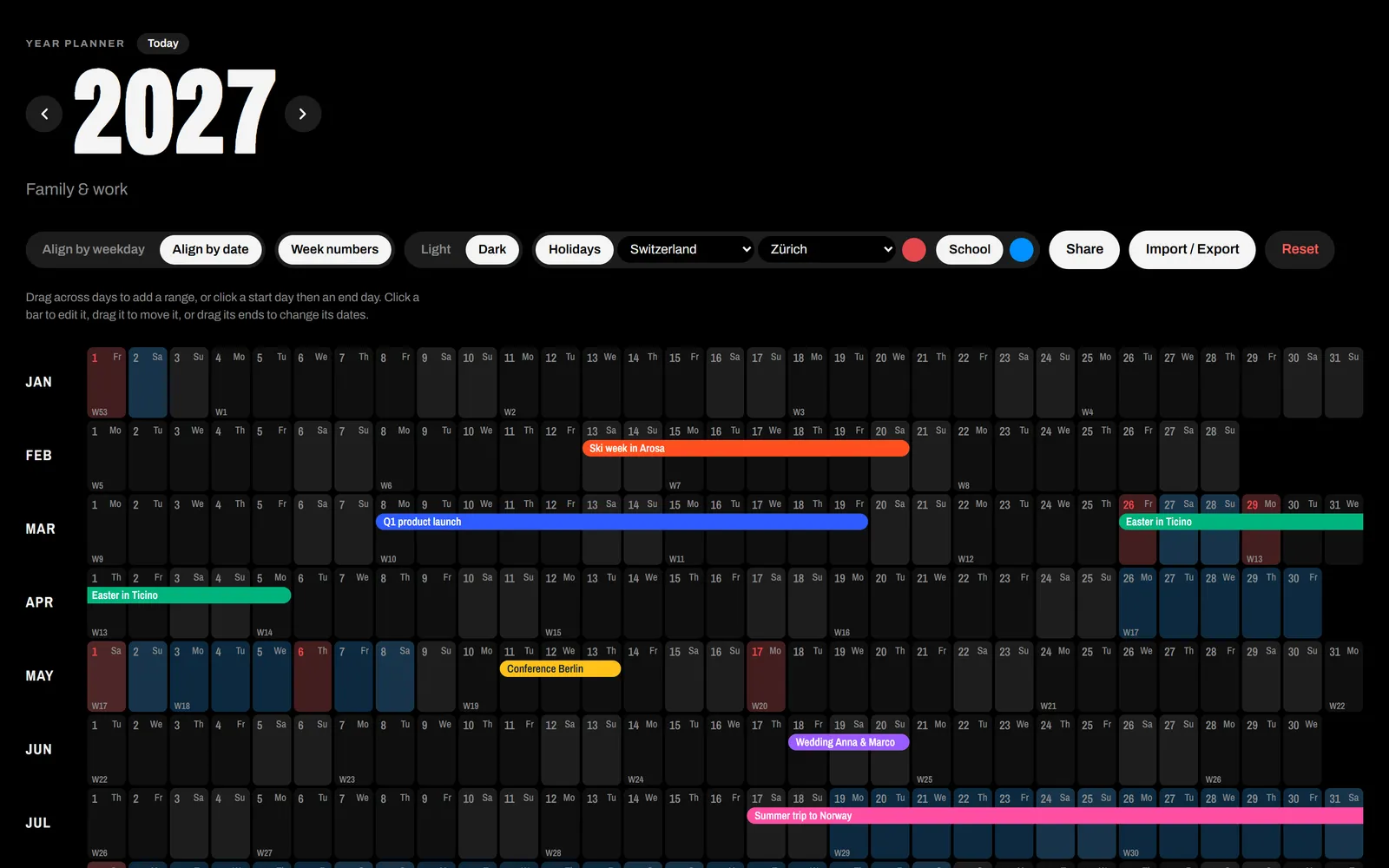
Every month as one row, with ranges, Zürich public and school holidays and ISO week numbers.
Year Planner shows all twelve months on one page, or any other span of months, also across several years. Date ranges are added by dragging across days and show their number of days and workdays. Public and school holidays for the chosen country and region are displayed in the same view. A project mode adds work packages and milestones, with a timeline view next to the calendar. It is meant as a clear and easy tool for early planning and visualization, not as a full calendar.
Motivation
I wanted to plan the year together with other people, holidays included, and see everything at once. Most calendar apps show one month at a time, and printable year planners are static PDFs or need an account. Year Planner needs no sign-up, and a plan can be shared as a link.
Features
- Ranges are added by dragging across days or tapping a start and an end day, and moved or resized by dragging, with mouse or touch
- Any months can be shown, across up to ten years, by clicking the year in the title
- Project mode with work packages and one-day milestones, plus a timeline (Gantt) view that is also available as a PNG and print style
- Public holidays by country and region, school holidays in a separate color, manual holidays and school holidays, and optional ISO week numbers
- Light and dark themes, columns aligned by weekday or by date, and a card layout on phones
- Undo for deleting, importing, resetting and opening a shared planner
- Export as a light or dark PNG at 1x to 3x, optionally transparent, print or save as PDF on A4, A3 or Letter with an optional QR code of the share link, and JSON or iCal (.ics) for all years or the shown months
- Works offline once loaded and can be installed as an app, with a reminder to make a JSON backup after a month without one
- State is saved in the browser's local storage, and the Share button creates a link that contains the whole planner
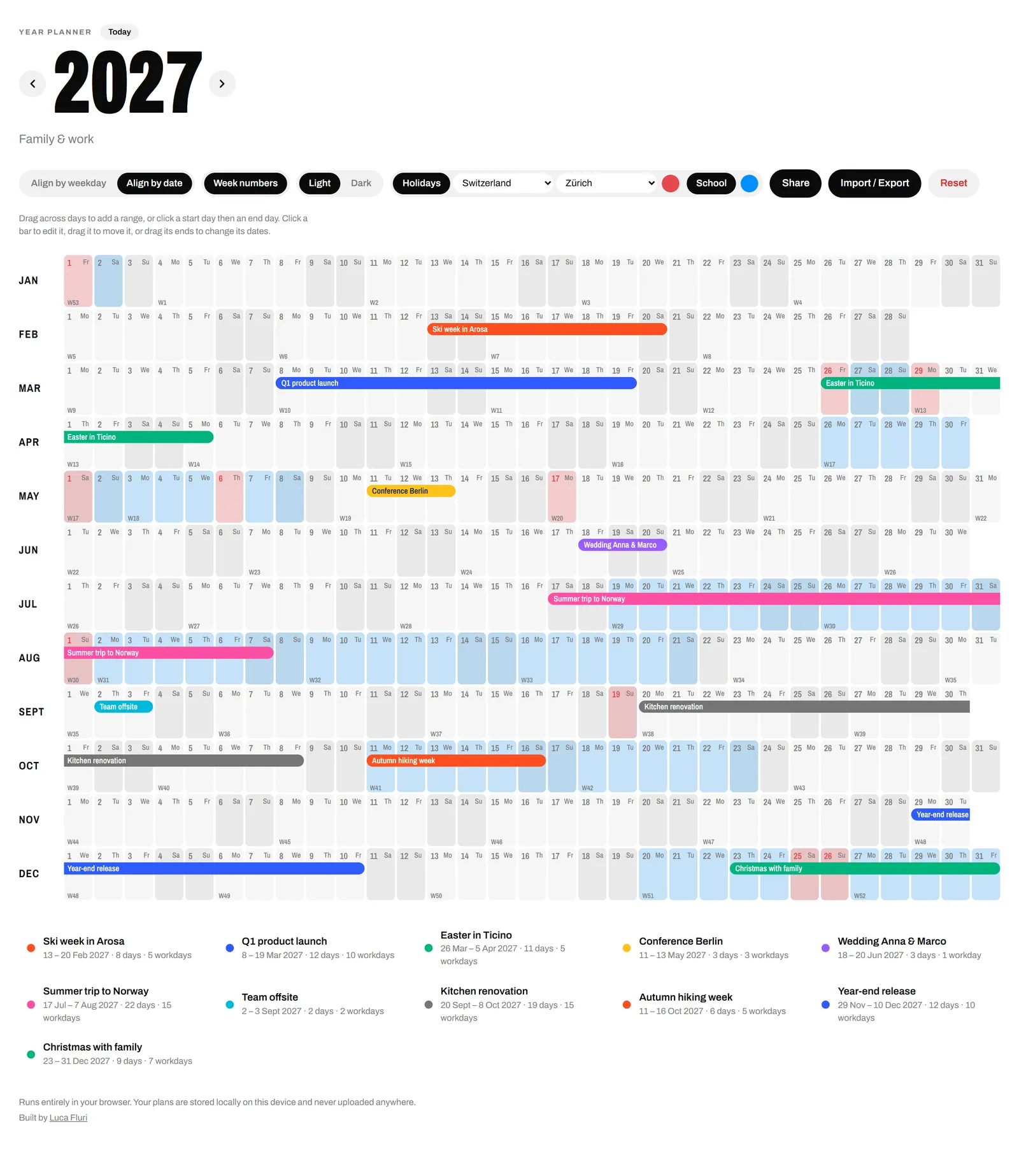
The full year in the light theme, the same layout the PNG and print export use.
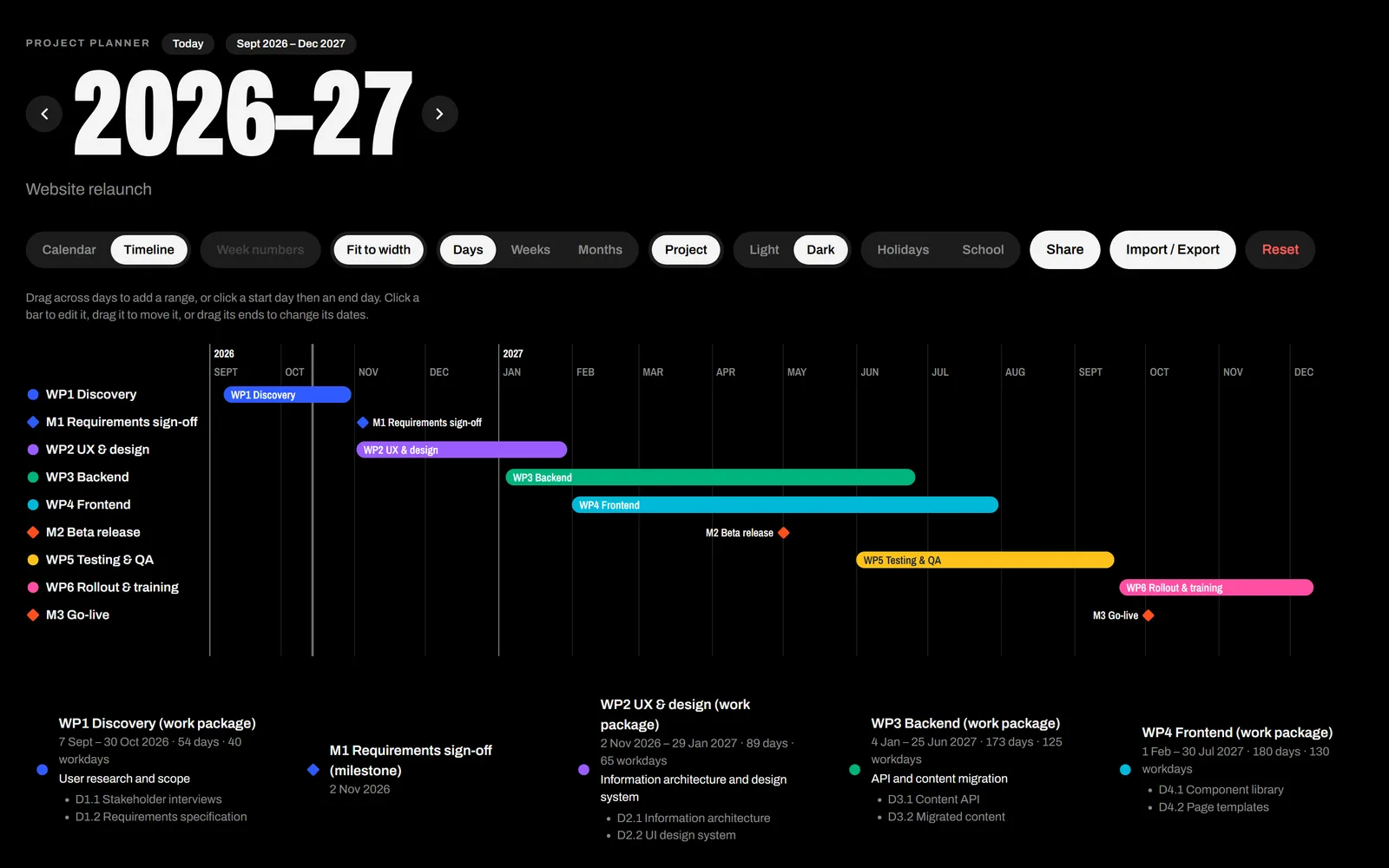
Project mode with work packages and milestones in the timeline view.
How It Works
The share link contains the planner in the URL fragment (#s=). The ranges are packed into a compact list grouped by year and compressed by the browser, so no data is sent to a server. On opening, the fragment is removed from the address bar, and the browser asks before replacing a different saved planner. Anyone with the link can read the planner, so sharing is convenient but not private.
Holidays are fetched from the OpenHolidays API and cached locally. School holidays differ by region, so without a selected region only nationwide ones are shown.
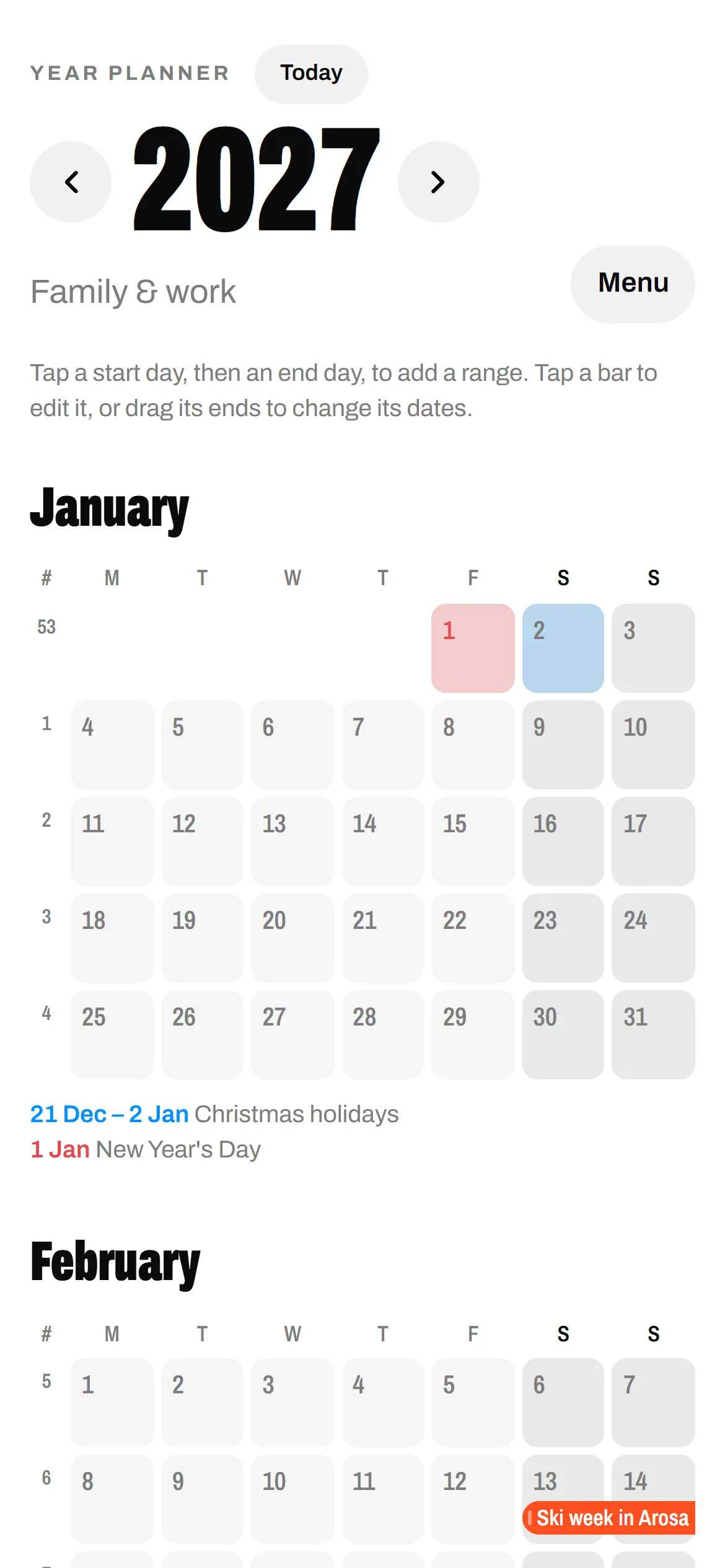
On phones every month is shown as its own card, with that month's holidays listed below.
Tech Stack
- Vanilla JavaScript without a framework or a build step, split into plain scripts so the page also works when opened from disk
- localStorage for the planner, synced across open tabs
- A service worker and web manifest for offline use and installation
- Canvas rendering for the PNG export
- OpenHolidays API for public and school holidays
- QR Code Generator by Kazuhiko Arase, included in the repository
Links
Year Planner is available at planner.lucafluri.ch.